Chery App
Stay connected to your vehicle from anywhere with the official Chery Mobile App. Right from your smartphone, this digital companion gives you real-time control over climate settings and charging schedules, while making it effortless to find your car and monitor its overall status.
CHERY App Features
The CHERY app is your indispensable companion that helps you get the most of your CHERY.
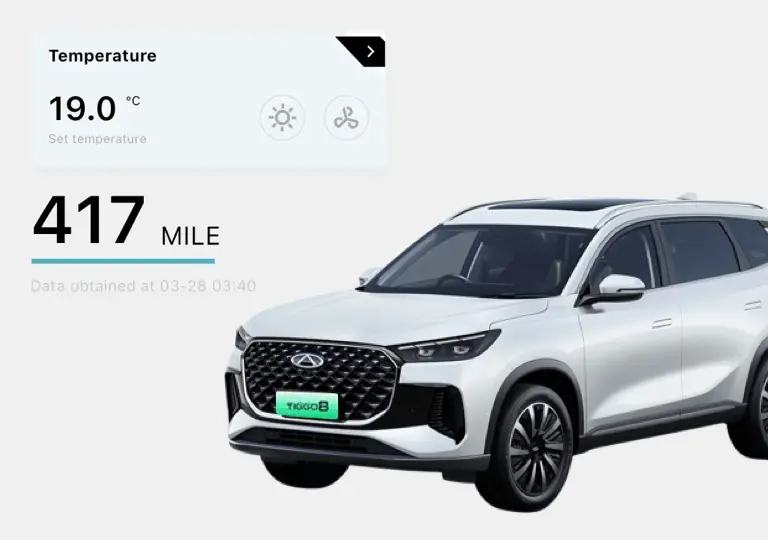
Check the vehicle status
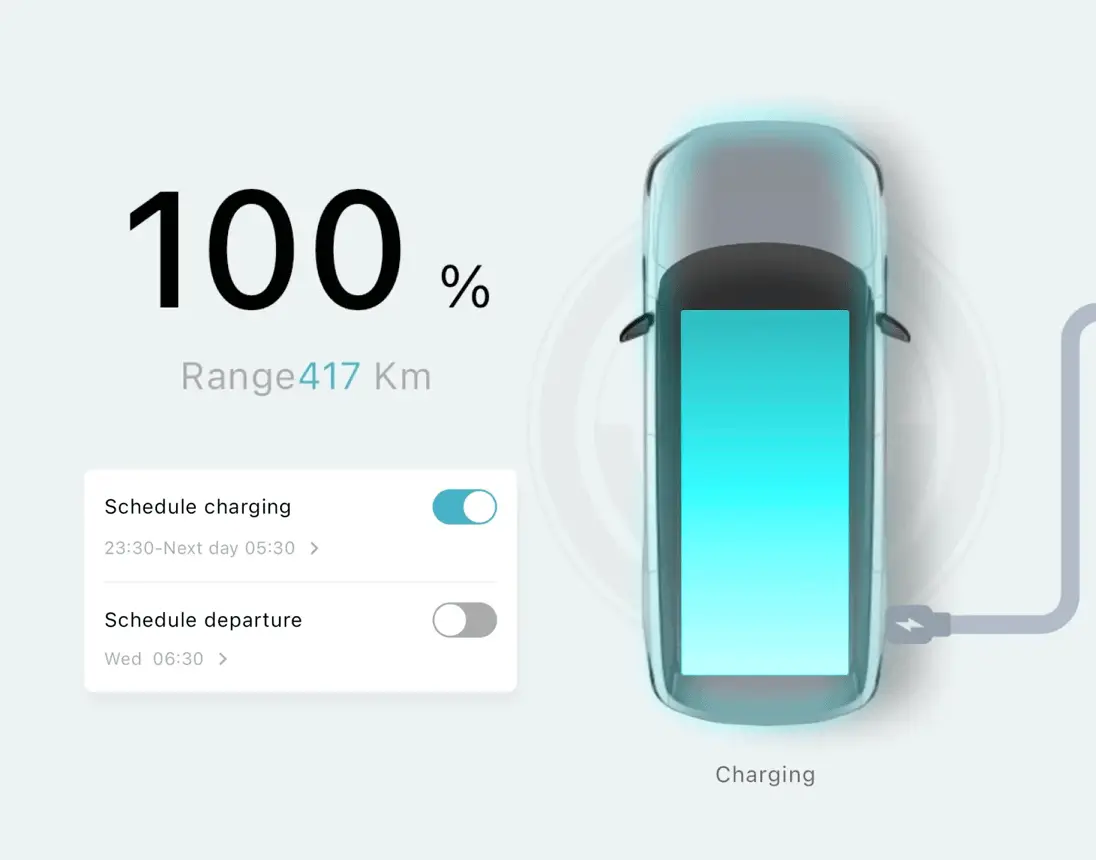
- You can easily check the battery level and range, and internal temperature.
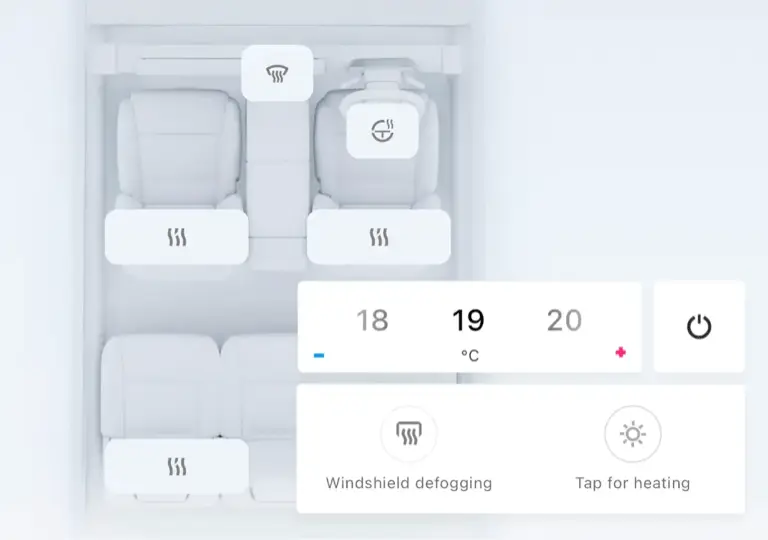
Pre conditioning
- Set the temperate and remotely activate the heated seats, heated steering wheel and windshield defogging and heating.
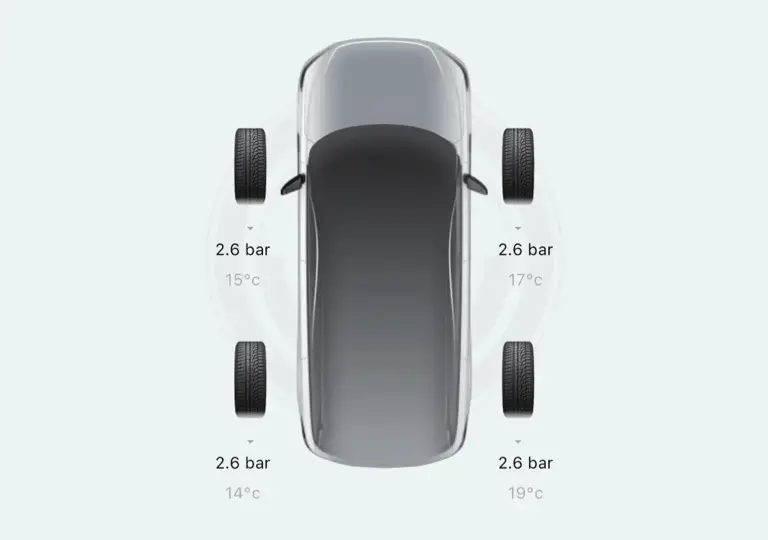
Tyre monitoring
- Check the pressure of all four tyres before you set off.
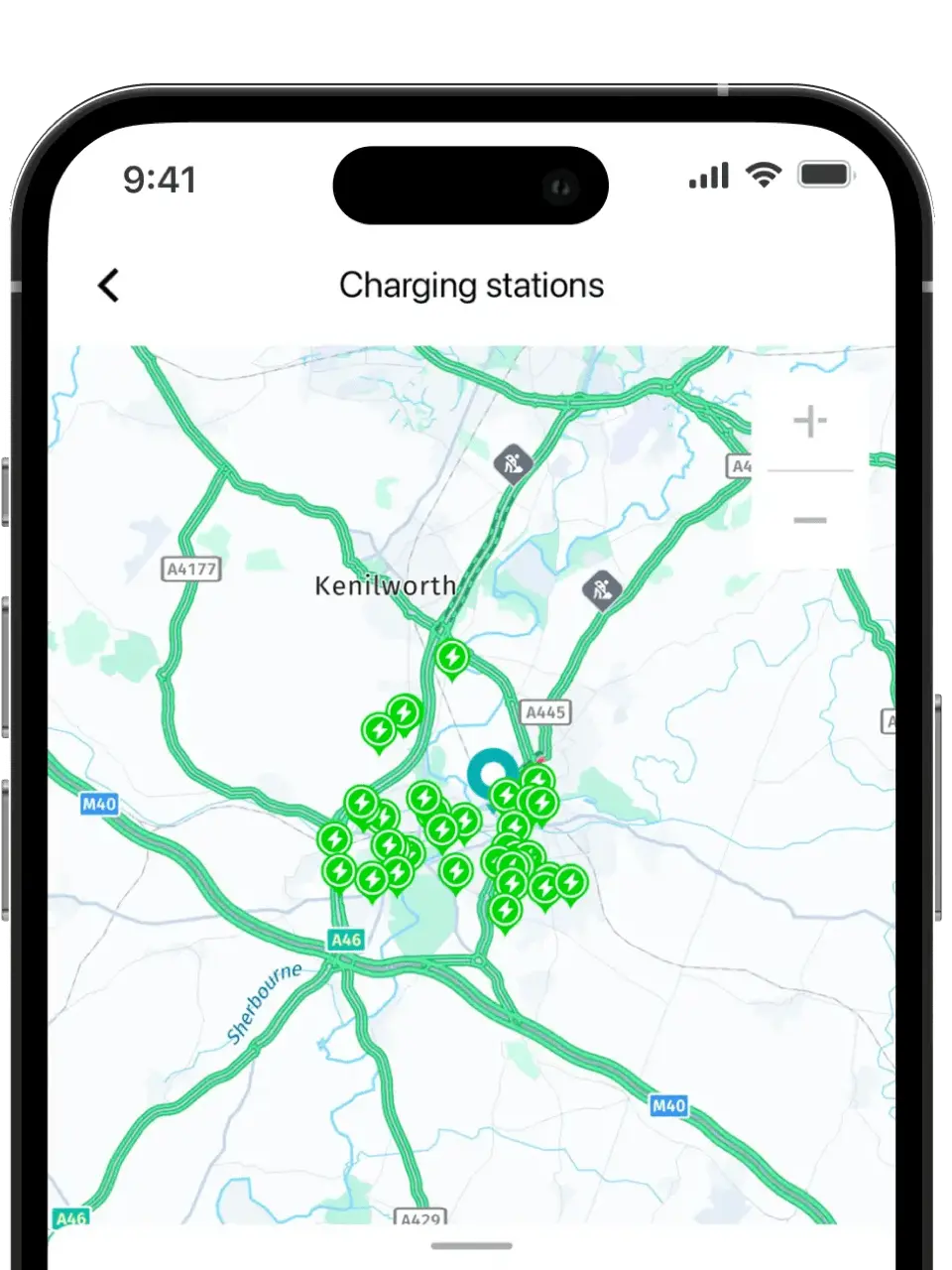
EV charger locations
Plan your route by checking the location and availability of public charging stations.
Send the location of the charge point directly to the in-built navigation inside the car.
Charging control
Check the range and state of charge, including remaining charge time.
Schedule departure times so your car is always the right temperature when you need it.
Schedule charging times. Many energy companies offer EV-specific tariffs, with electricity prices as low as 7p per kWh during off peak times. Charging at these times means the cost per mile is up to ten times less than a petrol or diesel car.
Vehicle location
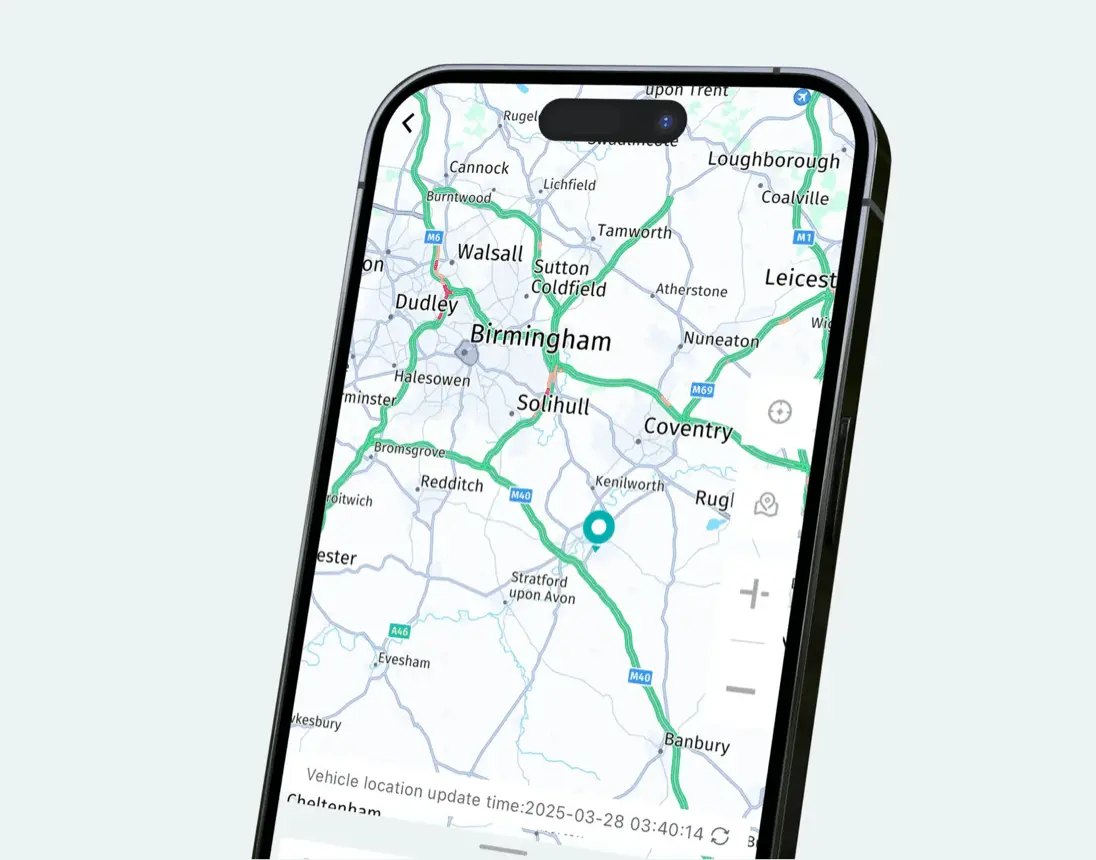
Check the location of the vehicle and navigate there using Google Maps with the click of a button.
Set a virtual fence around the car, so you’re notified if the car changes location.
Remotely activate horn and lights.
Download the app
Use the QR code below to install the app and unlock features like remote start, climate control, vehicle status, and more.
App Launch
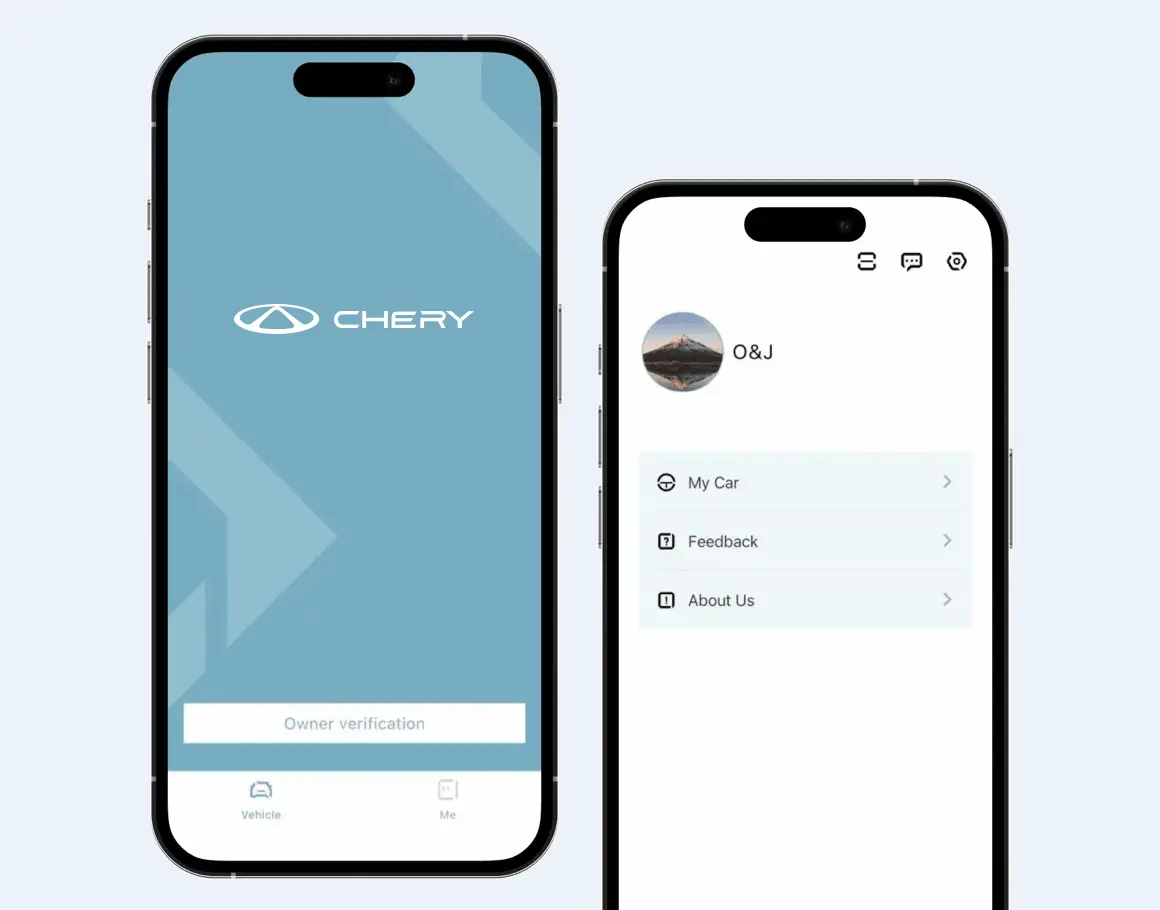
Start the registration process in the app.
Open the vehicle control app
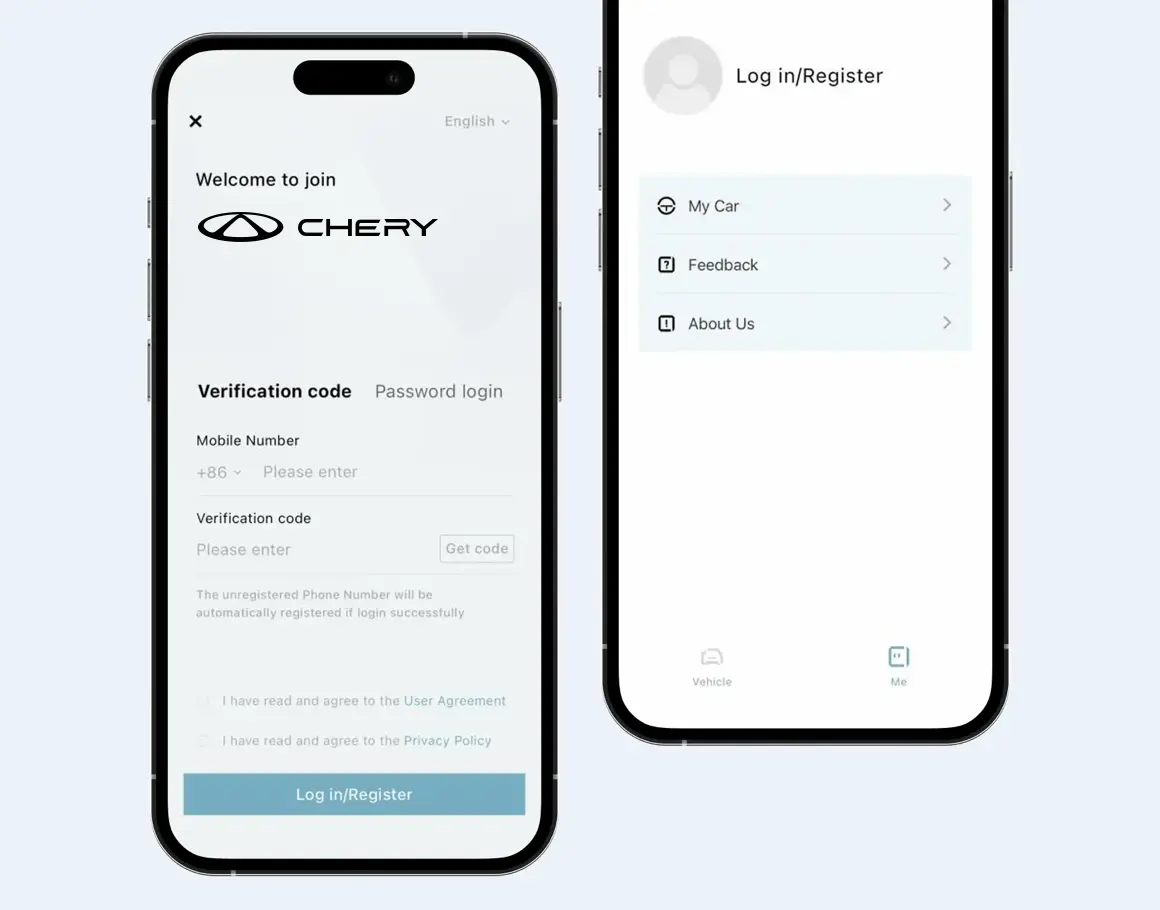
Tap the Profile tab at the bottom
First-time users see the login/registration screen
Register with your mobile number and verification code
After account creation, you’re automatically redirected to the main interface
Vehicle Verification
Link your vehicle to your account.
Tap the Vehicle tab at the bottom
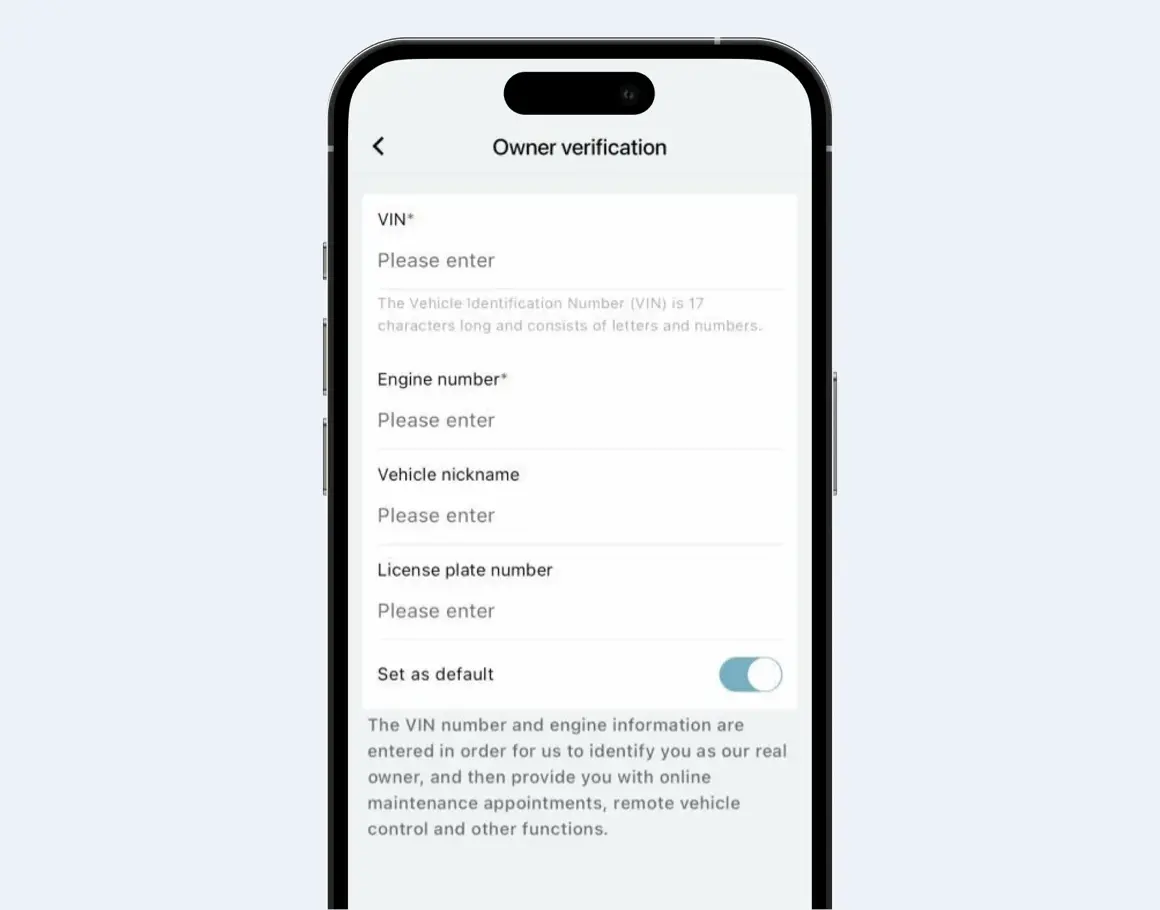
Tap Owner verification
Info Submission
Enter your vehicle details and verify ownership.
Fill in required fields: VIN, engine number, license plate, etc.
Tap Submit for Authentication
If data matches system records → “Successfully bound vehicle”
If not found → “Owner certification record does not exist”
Double-check VIN and engine number if verification fails
Remote Control Setup
Activate vehicle remote control features.
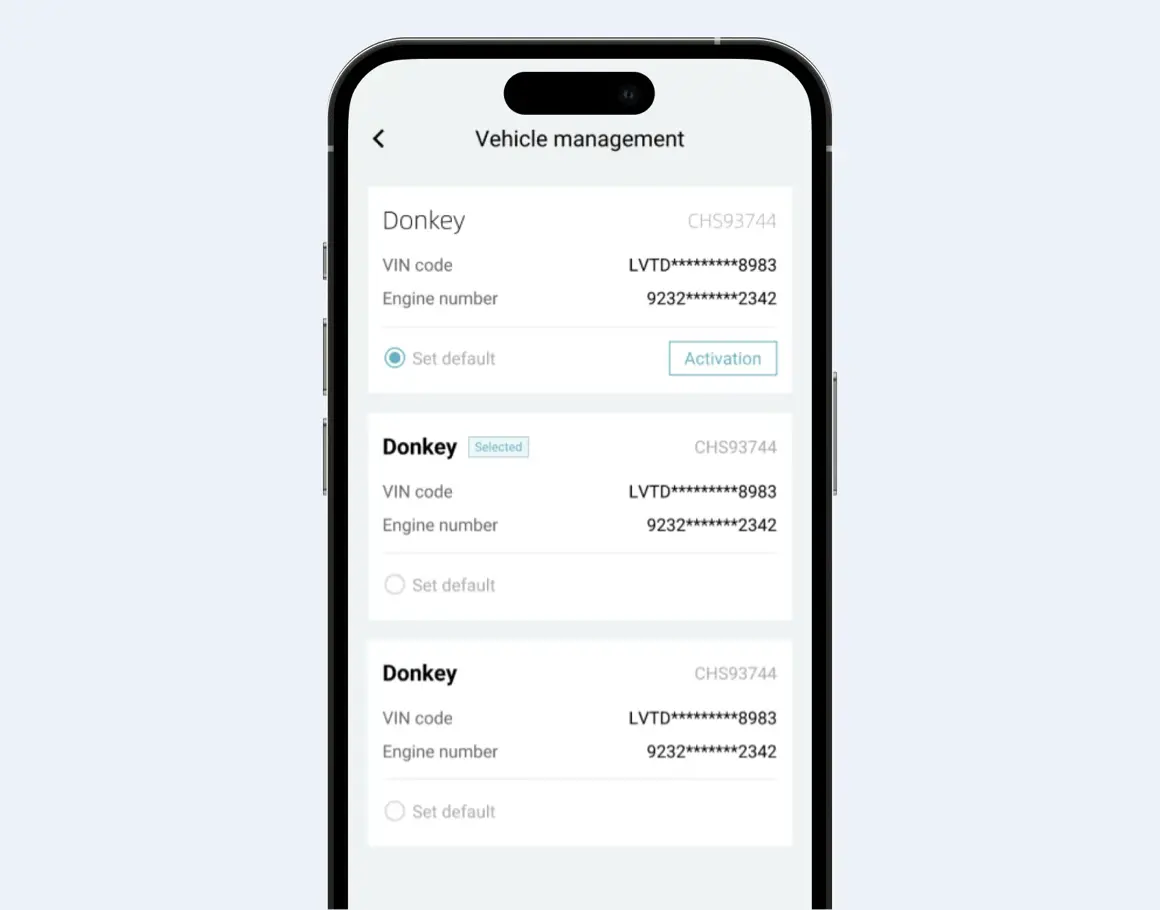
Open the Car tab
Go to Vehicle Management
Tap Activate next to the vehicle
Once activated, remote control is enabled
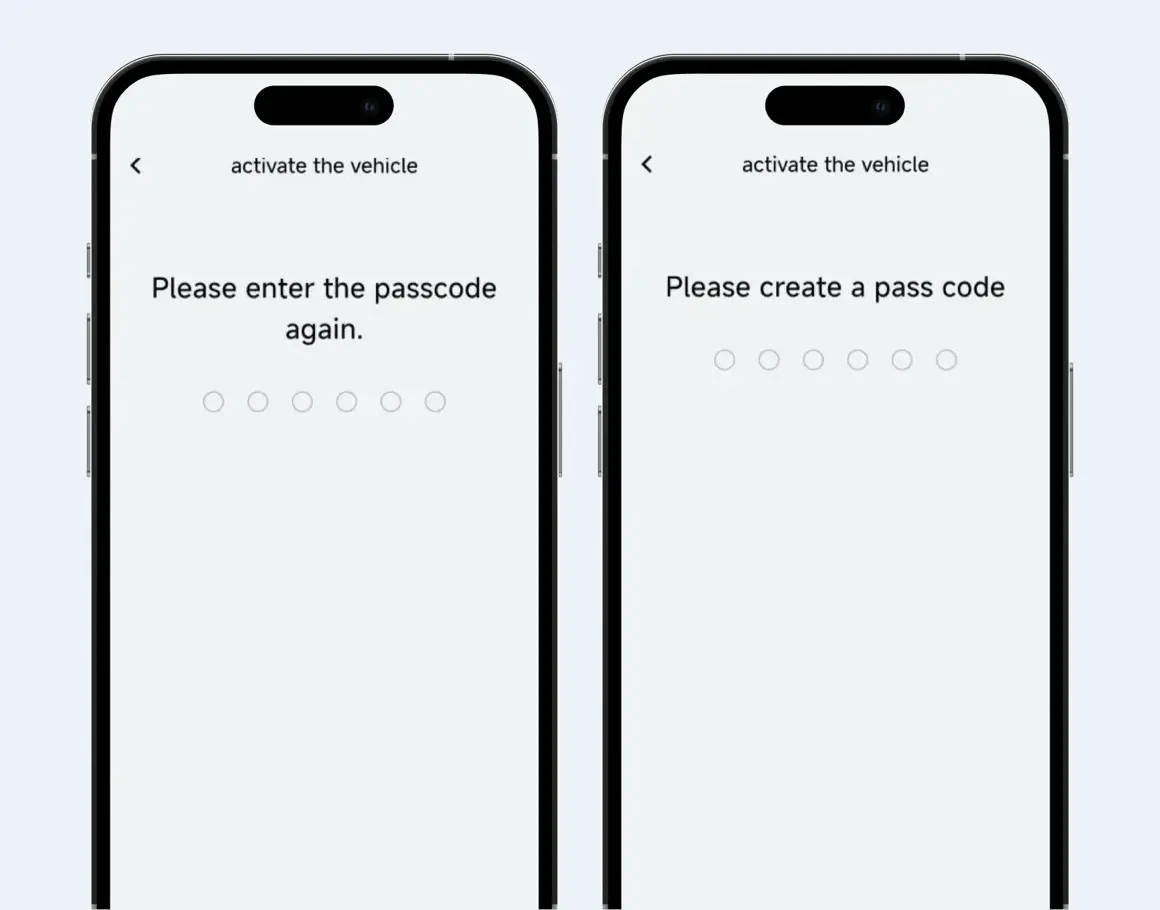
Set Passcode
Secure the remote control feature with a password.
Create a 6-digit passcode
Confirm the passcode
Remote control is now active
FAQ
1. How to activate telematics car services?
-
Confirm vehicle support: First confirm whether your vehicle
supports Telematics.
-
Download APP software: Follow the sales guidance to complete the
download version of the supporting APP
-
Activate the service: After downloading the APP, follow the
guidance of the APP to activate the Telematics service by filling
in the relevant information.
2. On which devices can I use the Telematics service?
Telematics services can usually be accessed and utilized through in-vehicle screens, smartphones and other devices. Users can operate Telematics functions directly through the in-vehicle screen, or connect to the vehicle through a cell phone APP to realize remote control, check vehicle status and other functions.
3. What specific features are included in the Telematics service?
Telematics services are rich in features, including but not limited to:
-
Real-time road condition information: provide real-time road condition information such as road congestion and accidents.
-
Navigation services: precise navigation and route planning functions.
-
Vehicle condition monitoring: After tying up the car and activating the car network via mobile APP, you can check the latest car condition status, such as the status of the four doors, the status of the windows, the temperature of the air conditioner and so on.
-
Remote Control: Remotely control the vehicle’s startup, shutdown, air conditioning switch, etc. via cell phone APP.
-
Vehicle diagnostics: real-time monitoring of vehicle status, providing fault diagnosis and early warning.
-
Security services: such as automatic collision assistance, roadside assistance, vehicle tracking, electronic fence setting, etc.
4. Is a subscription required to use Telematics services?
No need, users can use Telematics services after activating Telematics after tying up the car, individual Telematics functions require users to agree to the relevant notices and user agreements before use.
5. Are Telematics services available when the vehicle is used outside the EU?
Telematics services are temporarily unavailable for EU vehicles when the vehicle is used outside the EU.
6. How do I update the software of the Telematics system?
-
OTA (Over-The-Air) Upgrades: Many modern vehicles support system upgrades via OTA, which allows users to receive and install system updates while the vehicle is connected to the Internet.
-
USB flash drive upgrade: Some vehicle manufacturers provide a method of system upgrade via USB flash drive. Users can download the latest system software from the official website and save it to the USB flash drive, then plug it into the USB port of the vehicle for upgrade.
-
In-store upgrades: If the vehicle does not support OTA or USB flash drive upgrades, users can contact the vehicle manufacturer’s dealer or service center to schedule an in-store upgrade.
7. Is it possible to cancel the Telematics service?
It is possible to cancel the Telematics service. There are several main ways to cancel the Telematics service:
1.Write-off at a Dealer:
You can visit the dealer where you purchased the vehicle and ask the staff to assist in writing off the Telematics service. This is the most direct and safe method as the staff at the dealer have in-depth knowledge of the vehicle and the Telematics system and can ensure that the deregistration process goes smoothly.
2.Turn off the service:
You can log off the car network service through the APP, the specific path is: APP-My-Settings-It should be noted that after canceling the Telematics service, you will no longer be able to enjoy the convenient functions provided by the service, such as remote control, real-time road conditions, online music playback and so on.
8. What is the free trial period for Telematics services?
Car Control, Online Voice, free for life; Online Navigation free for 3 years.
9. How much does a service subscription cost and what features are included?
At present, the service subscription is not yet available and is provided free of charge, so please look forward to the follow-up!
10. How can Telematics services help when a vehicle is stolen?
Prevention: Use the electronic fence function in advance, when the vehicle enters or exits the fence, it will trigger the alarm message push to monitor your vehicle in time.
Tracking: Users can contact after-sales to let O&M turn on the stolen tracking function to monitor the vehicle’s location information.
11. Which mobile network provides data services? Can I choose another network provider?
Data service provision: the vehicle uses the SIM card of the VDF to provide data services within the European Union by automatically selecting a local operator with a signed roaming agreement, depending on the country and region where it is located.
Selection of other network providers: The TBOX system prioritizes the local network provider with the strongest signal.
12. How does Telematics synchronize with my cell phone to provide real-time vehicle information?
The APP can automatically synchronize the real-time vehicle information after activating the car on the APP.
13. Are there special services for emergencies, such as medical assistance?
The entire vehicle is equipped with the eCall function, which allows you to automatically trigger an emergency call in the event of an accident, or manually trigger an emergency call by long-pressing the SOS button on the top light for about 3s and releasing it when emergency assistance is needed. The local PSAP is responsible for providing rescue services.
14. Whether the Telematics service supports shared access by family members?
-
Support.
-
The basic service functions of CarConnect can be authorized to your family members or others.
-
The number of people that can be authorized is: 10.
-
The functions that can be authorized include car status query, car control usage, etc.
15. Does the Telematics service provide detailed tutorials or guides for its use?
Car User Manual Path: click on the red box first, then the green box is the user manual;
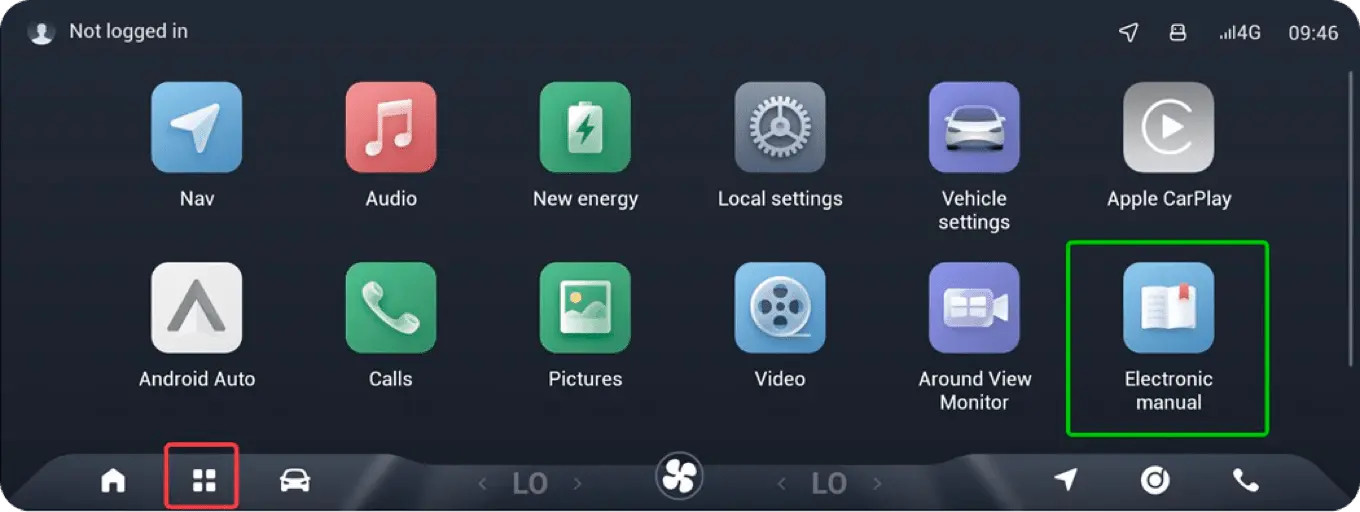
The APP user manual is not yet integrated into the APP, please look forward to the subsequent APP version.
16. What models are CHERY Connect services available for?
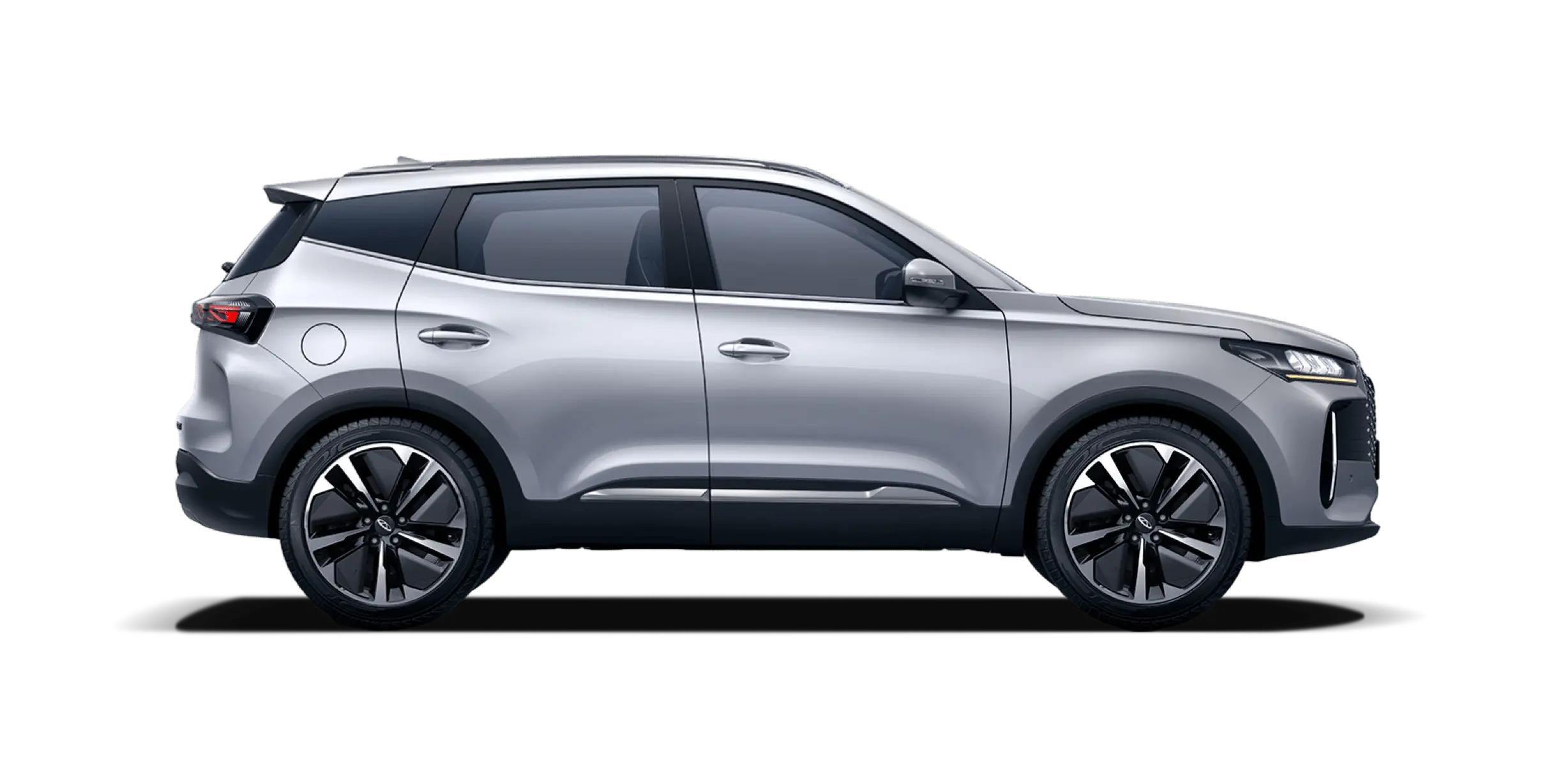
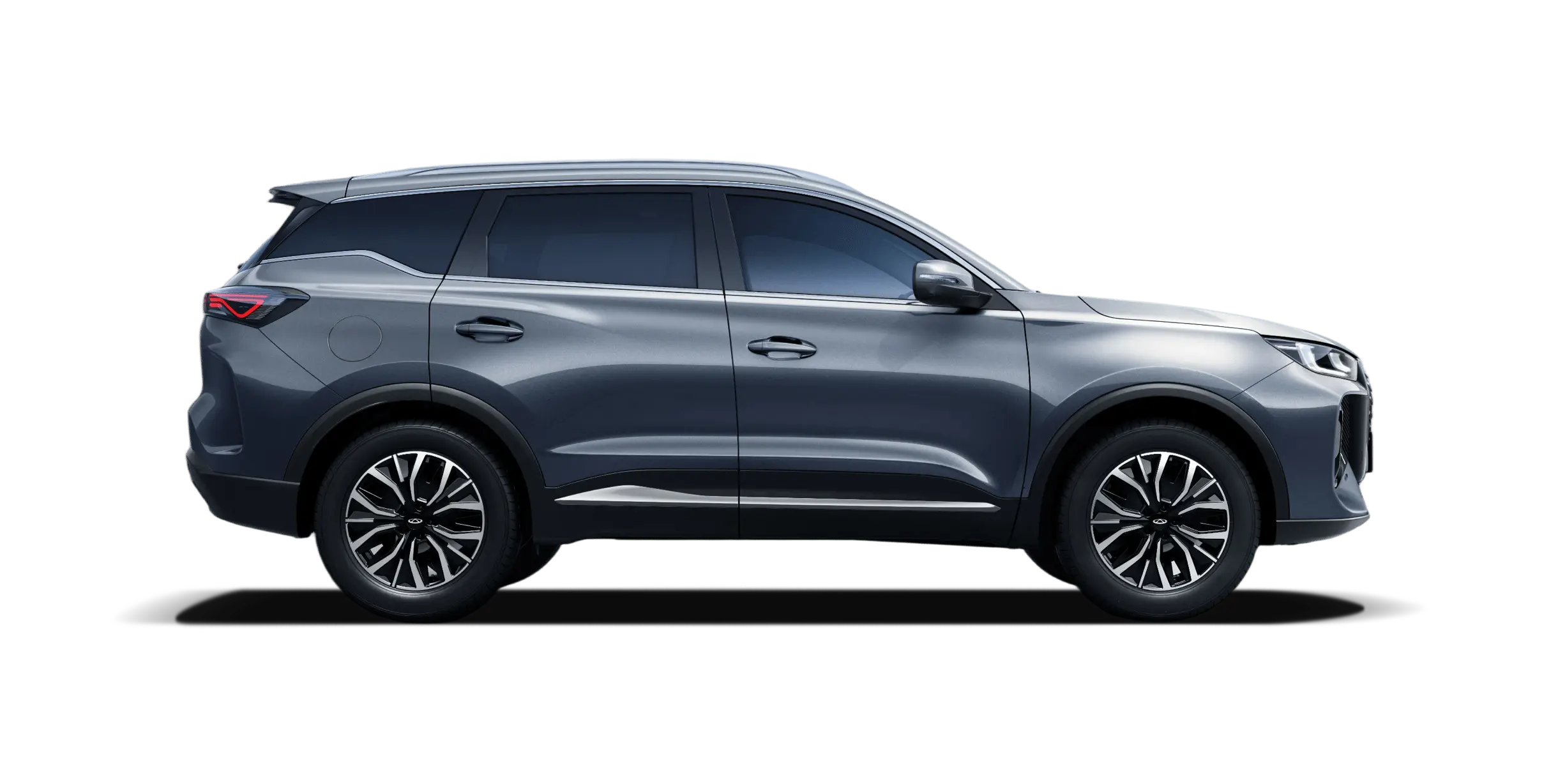
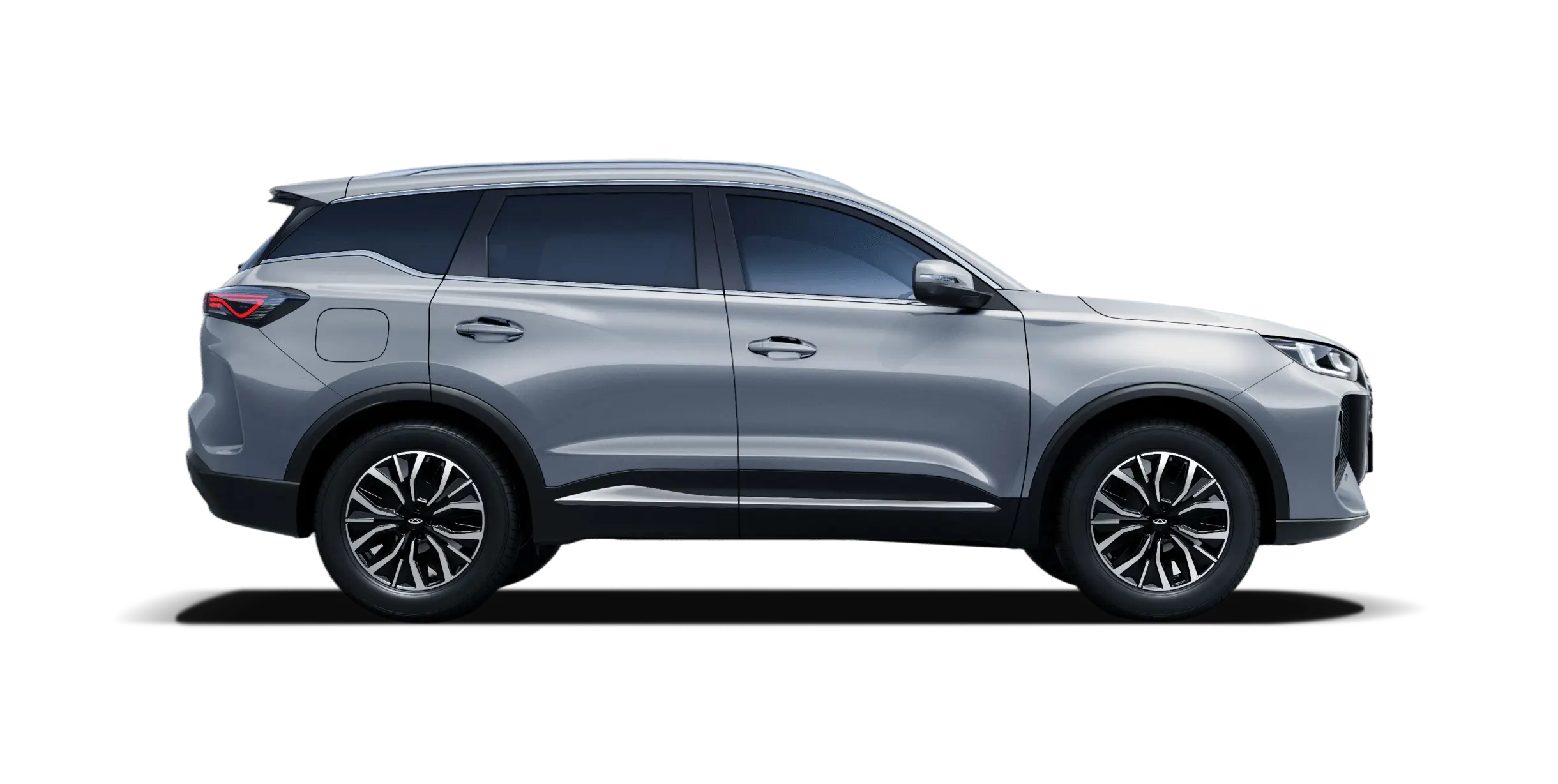
This service is currently only available for EV and PHEV models.
17. Can online multimedia applications be used via Wi-Fi hotspots?
Telematics services are temporarily unavailable for EU vehicles when the vehicle is used outside the EU.






 business benefits